A scanner that keeps up
Reads many folders at once, shows live progress, and can be cancelled at any moment. Folders you can’t read are reported instead of stopping the scan, and symbolic links are never followed.
DiskPulse Pro scans drives in parallel, maps every folder in an interactive treemap, finds true duplicates, and moves what you don’t need to the Trash, safely.
Free to download. No account, no telemetry. Files only ever move to the Trash or Recycle Bin.
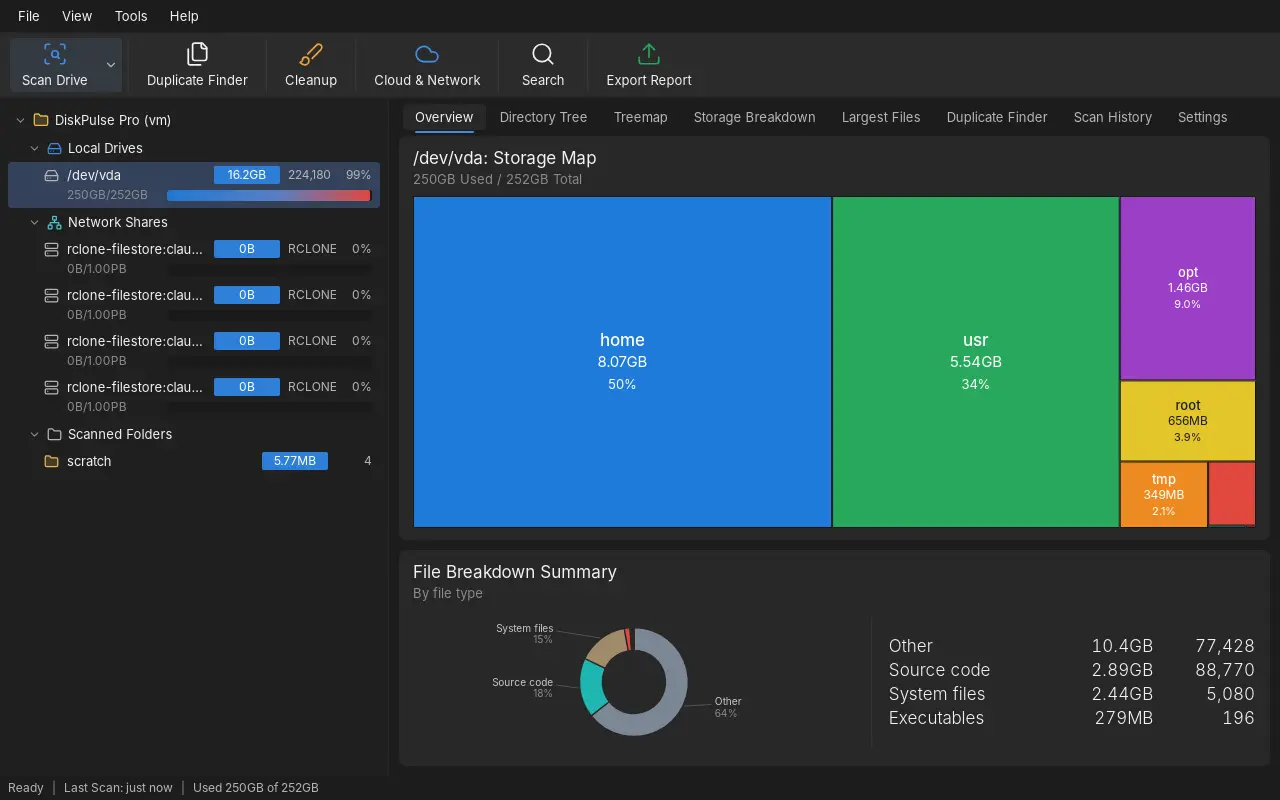
Speed measured on a single-core Linux VM with a warm file cache. Real-world results depend on your disk and file system.
Built natively in Rust, so even enormous drives stay responsive from the first second of the scan.
Reads many folders at once, shows live progress, and can be cancelled at any moment. Folders you can’t read are reported instead of stopping the scan, and symbolic links are never followed.
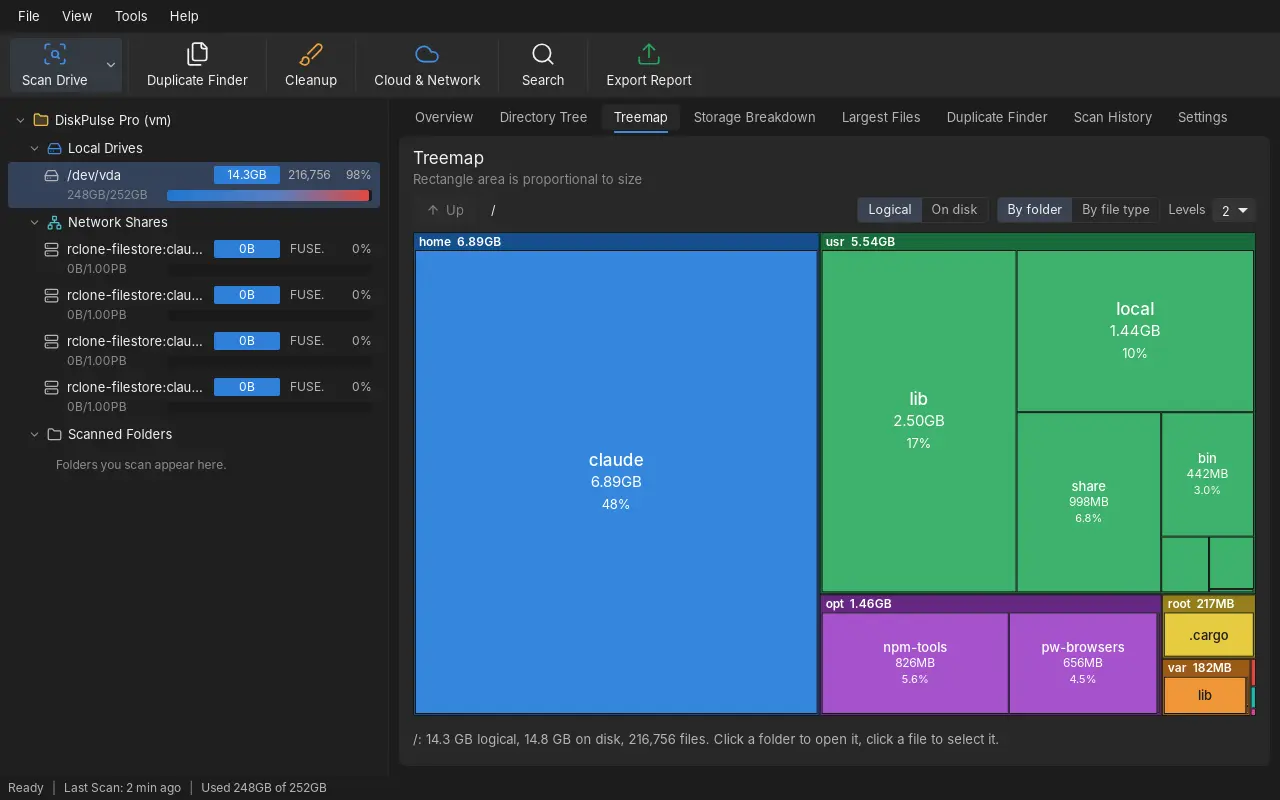
Rectangle area equals size. Click to drill into a folder, hover for details, and color by folder or file type.
Checks size, then the first 4 KB, then a full hash. Skips files that change mid-scan and never picks for you.
A confirmation shows how many items and how much space you will free. Partial failures are listed, and nothing is erased permanently. Logical size and size on disk are always labeled separately, so the numbers never blur together.
See the biggest space users at a glance, then keep clicking until you find the culprit.
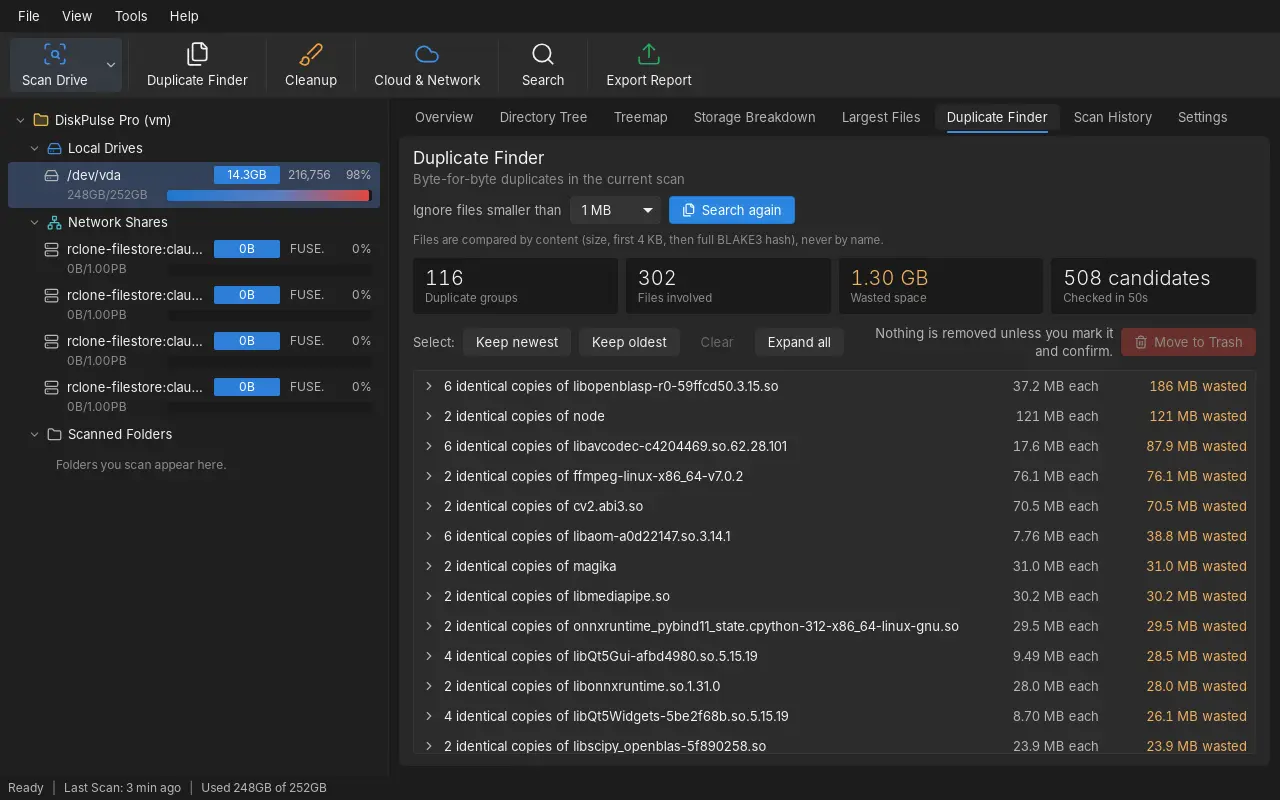
Identical files are grouped with the space they waste. You decide which copies go, and at least one always stays.
Pick your system. Every file comes straight from the GitHub release.
Installer for 64-bit PCs. Adds a Start menu entry and uninstalls cleanly.
Download for Windows (x64)If SmartScreen warns you, click More info, then Run anyway. The installer isn’t code-signed yet.
A disk image for your Mac. Open it and drag DiskPulse Pro to Applications.
Download for Apple SiliconIf macOS blocks the app, open System Settings, then Privacy & Security, and choose Open Anyway.
Runs on most distributions. Pick the package type that fits yours.
Download AppImage (x86_64)Make the AppImage runnable first: chmod +x DiskPulse.Pro_1.0.0_amd64.AppImage
Never. Nothing is removed unless you select it and confirm. Items move to the Recycle Bin or Trash, so you can restore them.
Size is what a file reports. On disk is the space it actually reserves, which differs for small, sparse, compressed or cloud-only files. DiskPulse Pro shows both.
No. There is no account and no analytics. Scan results stay on your computer, and reports are written only to the place you pick.
The installers aren’t code-signed yet, so Windows SmartScreen and macOS Gatekeeper show a warning for any unsigned app. The tips under each download explain how to continue.
Yes. Mounted network shares and sync folders such as OneDrive or Dropbox can be scanned. Network scans depend on connection speed.